OGPS
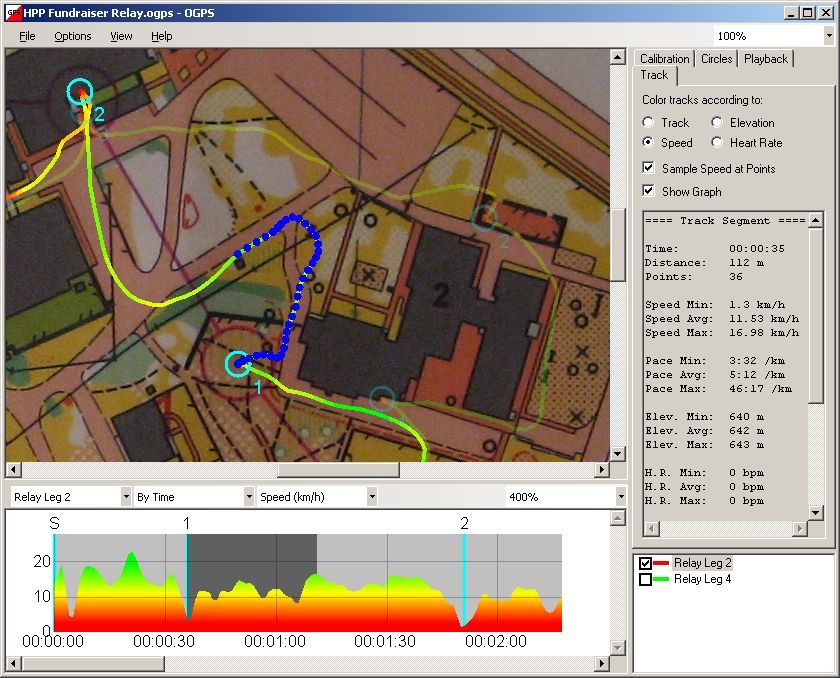
OGPS is a PC application that lets orienteers with GPS devices (including Garmin GPS watches) see where they went during their races. To use OGPS, you need an image of your orienteering map and one or more files containing the tracks you want to analyze. The track files can come from Garmin Training Center or they can be standard GPX files.
OGPS now lets you:
-
Create calibration points by dragging tracks
-
Graph and analyze speed, elevation, and heart rate data
-
Load multiple tracks for playback and comparison
-
Edit tracks by inserting laps and deleting unwanted points
-
Place circles on a calibrated map and export them as waypoints
-
Measure arbitrary distances on a calibrated map
-
Export georeferenced map images
Version 3.4.0 - Released November 15, 2020:
Download OGPS
Online Help
Updates
Donations
Screenshot: